
How to record audio in Windows 8?
Step 1 Click  and select the "Mixer" option:
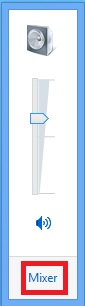 Then click on the "System Sounds" icon under Applications.

Step 2 Enter the "Recording" tab. Right click on the blank section and select the "Show Disabled Devices" option.

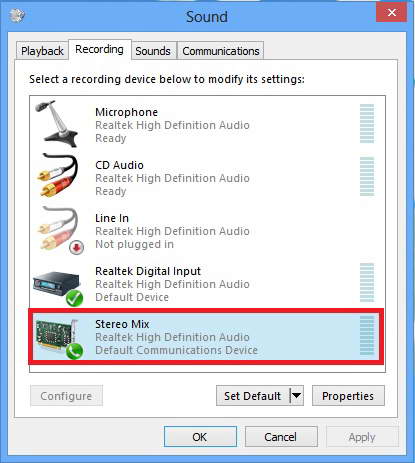
Step 3 Then you will find the "Stereo Mix" option. Right click on it and select the "Enable" option.
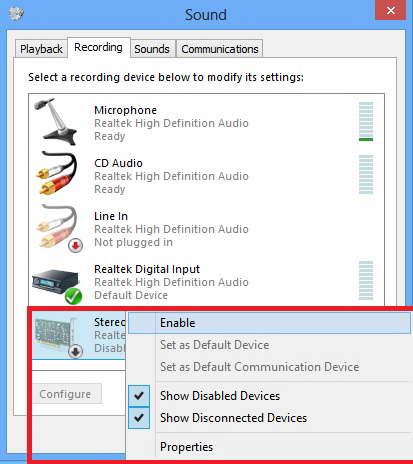
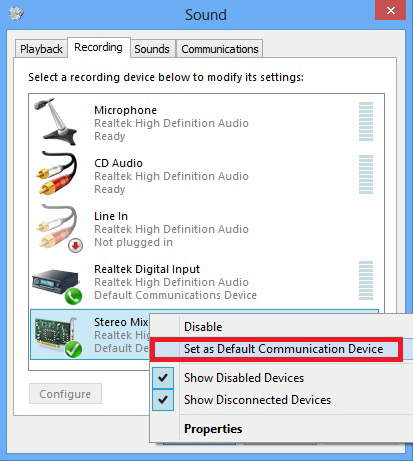
Step 4 Right click on "Stereo Mix" again and select the "Set as Default Communication Device" option.
Note: If the following interface appears, please directly skip to Step 6.
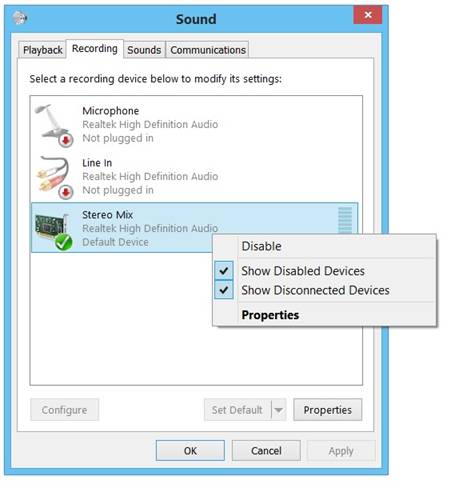
Step 5 Now "Stereo Mix" can be used as the default device.
Step 6 Then you can select the "Stereo Mix" option in the "Capture" tab of the "Setup" window in Stream-Cloner to start capturing videos normally.